Multi-Tenant SaaS Testing Guide: Ensuring Performance and Scalability
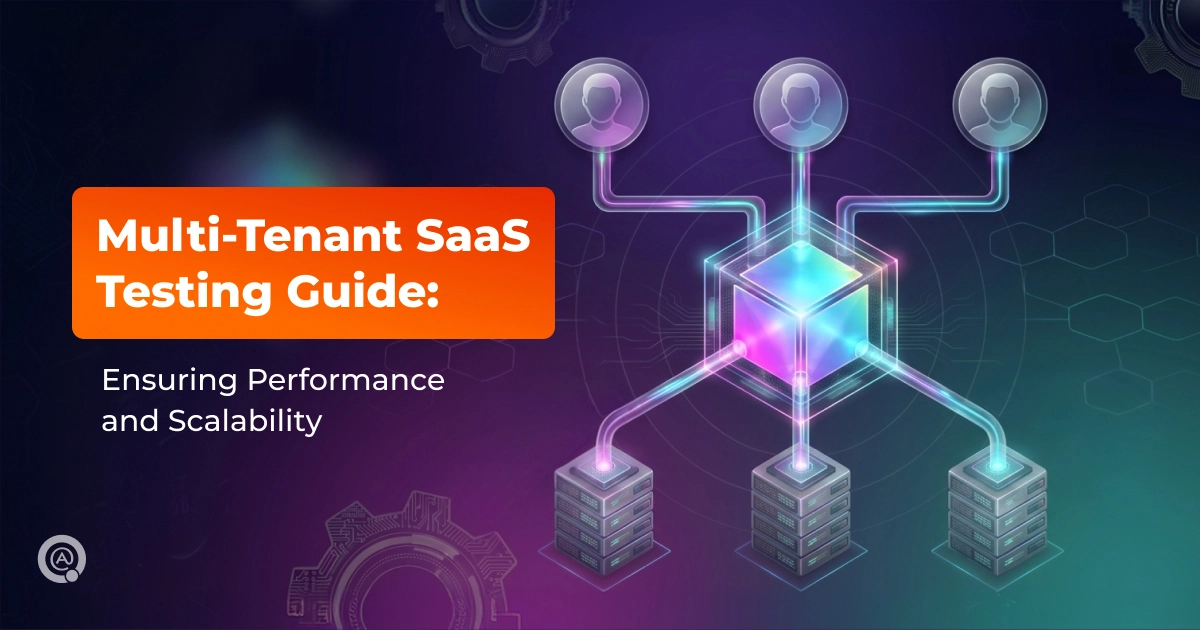
Multi-tenant SaaS testing verifies that a single software instance can efficiently support multiple tenants at once. It focuses on performance under shared resource conditions, smooth scalability as demand grows, tenant separation, and resilience to noisy-neighbor impact. The goal is to support stable SLA compliance and a consistent user experience across industries such as healthcare and logistics.
In this article, we explore how to support strong performance and scalable growth in a multi-tenant SaaS product. We will look at the main challenges of multi-tenant environments, explain the difference between shared and isolated database models, and walk through a step-by-step guide to performance and scalability testing that can help teams validate SaaS quality more confidently.
What is Multi-Tenant SaaS Testing?
Multi-tenant SaaS testing is a specialized QA and validation process for Software as a Service applications built on a multi-tenant architecture. In this model, a single instance of the application (and often a shared infrastructure/database) serves multiple customers (called “tenants”) simultaneously. While tenants use the same core system and shared resources, their data, configurations, users, and customizations must remain logically isolated.
Because of this, multi-tenant SaaS testing is designed to verify that the shared architecture can maintain performance, stability, tenant separation, and overall correctness when multiple customers interact with the platform simultaneously.
Why Scalability and Performance Matter in SaaS (Niche Insights)
In SaaS, scalability and performance directly determine service reliability, user experience, and business continuity. Because SaaS platforms serve multiple customers simultaneously, load patterns are often uneven and event-driven. Without predictable performance under stress, even short degradations can cascade into SLA breaches, support overload, and churn.
Below are industry-specific scenarios where scalability and performance become business-critical:
- Healthcare: Handling sudden demand spikes during open enrollment periods. Systems must sustain concurrent logins, eligibility checks, form submissions, and document uploads without timeouts or degraded responsiveness.
- Logistics: Maintaining real-time tracking at scale during peak seasons (e.g., Black Friday). High volumes of location updates and status events require consistent throughput and low latency to ensure accurate visibility and operational coordination.
- HR / Enterprise: Processing large payroll batches and reporting workloads without impacting the interactive user experience. Background computations and data exports should not slow down core workflows or UI responsiveness.
- FinTech / Payments: Processing millions of transactions per minute during flash sales, payday rushes, or market volatility events (e.g., crypto surges or tax season filings). Sub-second latency for payment authorizations, fraud checks, and balance updates is non-negotiable – even milliseconds of delay can lead to abandoned carts, failed trades, revenue loss, or regulatory penalties.
- E-commerce / Retail platforms: Surviving and capitalizing on ultra-short traffic spikes during flash sales, live-stream shopping events, or influencer drops. The system must instantly scale product searches, inventory checks, cart operations, and checkout flows for tens/hundreds of thousands of concurrent users without stock mismatches, slow page loads, or checkout failures that directly translate to lost sales.
Key Performance Challenges in Multi-Tenant Environments
Noisy Neighbor Effect
This occurs when one “heavy” tenant consumes significantly more resources (CPU, RAM, IOPS, network traffic) than others, thereby slowing down all remaining customers on the shared infrastructure. This most often occurs during peak loads – such as bulk imports, report generation, or analytics processing. As a result, a single such tenant can cause degradation in latency and throughput for everyone else, leading to customer complaints, SLA violations, and even churn.
Database contention
Database contention is a common source of unpredictable latency in multi-tenant environments. In shared databases or schemas, tenants compete for CPU and I/O, while also influencing each other through locking and query plan behavior. A tenant with larger datasets, heavier writes, or complex queries can degrade overall performance even when data is logically segmented. Isolated schemas or separate databases reduce cross-tenant interference, but they also increase operational overhead at scale, making migrations, backups, monitoring, and incident response more complex and costly.
Network latency
Network latency becomes a structural factor when tenants are globally distributed while core services or data stores remain region-bound. Even moderate RTT compounds across multi-step flows (authentication, API calls, database access), turning otherwise acceptable operations into slow user experiences. The situation becomes even more complex when application services, databases, and external providers are distributed across regions. As a result, the same workflow can have materially different performance characteristics depending on where a tenant operates.
Comparison: Shared vs. Isolated Architecture Testing
Step-by-Step Guide: Performance & Scalability Testing Workflow
Step 1: Define Tenant Profiles
Categorize tenants by size (Small, Medium, Enterprise) and realistic usage patterns (interactive UI, batch imports, reporting, real-time sync). Create 3–5 distinct profiles with expected RPS, data volume, burst behavior, and peak concurrency. These profiles drive all subsequent test scenarios to ensure realistic mixed workloads.
Step 2: Establish Baselines
Measure core user flows for a single tenant in a clean, low-noise (ideally empty) environment. Capture p50/p95/p99 latency, throughput, error rates, and key resource metrics (CPU, memory, DB I/O, connection pool usage). These single-tenant baselines serve as the reference for quantifying multi-tenant degradation.
Step 3: Simulate Multi-Tenant Load
Gradually introduce additional tenants according to the defined profiles and increase overall concurrency in controlled steps. Monitor where performance begins to deviate from baseline and pinpoint the threshold at which SLAs/SLOs start to break. This phase reveals system capacity limits and tail-latency growth under realistic tenant density.
Step 4: Execute Noisy Neighbor Scenarios
Intentionally stress one heavy tenant (e.g., bulk writes, long-running reports, massive imports, intensive API usage) while other tenants continue normal workloads. Measure cross-tenant impact to verify isolation and fairness: one tenant’s spike must not materially degrade latency, throughput, or error rates for others beyond acceptable SLA tolerances.
Step 5: Validate Auto-Scaling
Verify that the system remains stable as load increases and that capacity adjustments happen in time to prevent visible performance degradation. The goal is to confirm that scaling supports consistent response times during peak demand.
Step 6: Data Volume Testing
Populate the database with production-like scale (millions of records distributed across multiple tenants) and run representative workloads (heavy reads, writes, joins, aggregations). Validate query performance, indexing efficiency, lock contention, and vacuum/analyze overhead to ensure performance does not collapse under realistic data volume and distribution.
Step 7: Subscription & Entitlements Workflows
Test critical subscription flows under peak conditions: checkout, upgrade/downgrade, renewal, cancellation, and entitlement updates. Pay special attention to event bursts (renewal windows, webhook retries) and ensure subscription state remains consistent across tenants without impacting core performance.
When to Involve a SaaS Testing Partner
Because of the performance challenges inherent in multi-tenant environments, testing SaaS products requires both experienced QA engineers and a well-structured QA approach. That is why involving a testing partner can be a practical way to strengthen your product quality validation. This is especially valuable before release or during preparation for expected traffic spikes, when the testing scope expands, and an external perspective can help uncover risks earlier. Just as importantly, working with a testing partner helps avoid the time and effort required to hire, onboard, and retain an in-house QA team.
QATestLab can join your project at any stage and take full care of testing as a partner or in a white-label model. In practice, this means you can choose whether QA services are delivered as external support or under your own brand. With experience in testing complex multi-tenant SaaS products, our team helps reduce costly issues and supports more stable releases.
If you need help with multi-tenant SaaS performance and scalability validation, or additional QA support before release, QATestLab is ready to join your team – just reach out.
Conclusion on Multi-Tenant SaaS Testing
In multi-tenant SaaS products, performance and scalability are critical to maintaining a stable user experience, protecting SLA commitments, and supporting sustainable growth. A structured testing approach helps teams identify shared-load risks earlier, validate system behavior under realistic conditions, and scale with more confidence.
At QATestLab, we have hands-on experience testing complex multi-tenant environments and know how to help teams maintain stable performance at scale. Whether you need end-to-end QA support for the entire testing process or additional reinforcement for your in-house team before release, contact us – we are always ready to help.
FAQ on Multi-Tenant SaaS Testing
What is the “Noisy Neighbor” effect in SaaS?
The “Noisy Neighbor” effect happens when one tenant consumes a disproportionate share of shared resources (CPU, memory, database I/O, caches, connection pools), causing performance degradation for other users. In practice, it shows up as rising tail latency (p95/p99), timeouts, and unstable throughput for “healthy” tenants during another tenant’s spike (bulk imports, reporting, heavy writes, traffic bursts).
How to test data isolation in multi-tenant apps?
Test data isolation by confirming that one tenant’s actions, queries, and background operations do not expose or affect another tenant’s data. In performance-oriented SaaS testing, this is typically validated through tenant-scoped workflows, negative access scenarios, and checks that shared load does not break logical separation between customers.
What approach is best for SaaS performance testing? (JMeter, k6, Locust)
The “best” approach is the one that matches your workflow and test maturity. k6 is often a strong default for modern CI/CD and code-driven load modeling; Locust works well when you need flexible Python-based user behavior and complex flows; JMeter is still useful for teams that prefer a mature GUI ecosystem and broad protocol support. Many teams use a hybrid setup: code-based load tests (k6/Locust) for repeatability, plus targeted JMeter scenarios for specific protocols or legacy pipelines.
How does scalability testing differ from load testing?
Load testing checks how the system performs under an expected workload (steady-state performance and SLA compliance). Scalability testing checks how performance changes as you increase load and resources, and whether the system can grow predictably without nonlinear degradation. In other words, load testing answers “Can it handle X?”, while scalability testing answers “How does it behave as X grows, and where is the breaking point?”
Why is multi-tenant testing critical for some domains?
Multi-tenant testing is critical when failures affect not just one customer, but many, and when trust, compliance, or revenue impact is high. Domains like fintech, healthcare, HR/enterprise, and large B2B platforms require stronger guarantees for tenant data isolation, consistent performance under skewed workloads, and predictable SLAs. These products also tend to have complex usage patterns (batch processing, reporting, integrations) where noisy-neighbor effects and data-leak risks can surface under real concurrency and scale.
Learn more from QATestLab


Related Posts:
About Article Author
view more articles